

Today, we’re looking at Origin Shielding in Salesforce B2C Commerce Cloud: what it is, how Salesforce rolled it out across the different instance types, and what your project needs to do to keep integrations connected.
Note
Updated July 2026: When this article was first published, origin shielding was mainly a Primary Instance Group story. Since then, staging instances joined in October 2024, and the 26.4 and 26.6 releases brought the eCDN to On-Demand Sandboxes. This revision covers the full rollout.
What is “Origin Shielding”?
Origin shielding protects the origin server - in our case the Application Servers - by funnelling all incoming traffic through an intermediate layer, or shield.
In Commerce Cloud, that shield is the embedded Content Delivery Network (eCDN): a Salesforce-managed Cloudflare setup that sits in front of your storefronts. The eCDN intercepts each request, applies the firewall and WAF rules, and only forwards legitimate traffic to the origin servers. Requests that try to reach the application servers directly, bypassing the eCDN, are blocked.
This reduces the risk of direct attacks on the origin infrastructure and adds an extra layer of protection against unauthorised access. After all, Cloudflare does have a few things in its arsenal.
Long story short, origin shielding is a security measure for safeguarding cloud-hosted infrastructure, ensuring both the integrity and availability of Salesforce’s services.

From production to sandboxes: the rollout
Origin shielding did not arrive in one release. Salesforce switched it on hostname by hostname, instance type by instance type:
- 2021: Salesforce started with “selective origin shielding”: the “dotted” demandware.net hostnames (production.xxx.demandware.net) were shielded for new customers.
- 2022: lockdown of the “hyphenated” hostnames (phase 3). New realms were shielded from April 15, existing development instances from May 15, and existing production instances from August 15, 2022.
- October 7, 2024: staging instances followed (phase 4), a change announced with the 24.7 release. Storefront and OCAPI calls to POD IPs or the staging demandware.net hostnames stopped working; Business Manager access stayed untouched.
- 2026: On-Demand Sandboxes get their own eCDN through Default Domains (26.4) and fully integrated eCDN features (26.6). More on that below.
If you lived through the 2022 wave, you know the migration did not go smoothly everywhere. Each later phase repeats the same pattern: a hostname that used to accept direct traffic stops doing so, and every integration still pointing at it breaks.
The back-end and OCAPI
Origin shielding was implemented to manage access to the Demandware URLs of our storefronts and the OCAPI on the “Primary Instance Groups.”
Although this change was communicated multiple times in advance, many projects still encountered unexpected disconnections from third-party services.
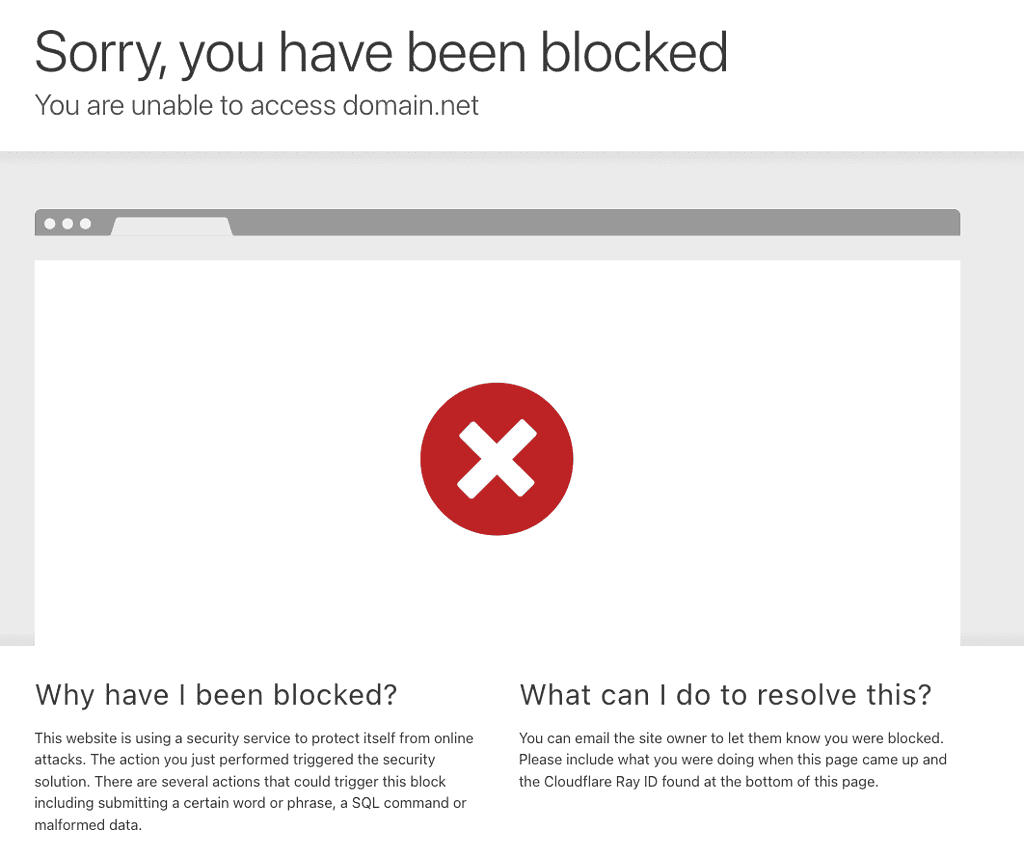
With the introduction of Origin Shielding, any third-party system attempting to access controllers or OCAPI APIs through the Demandware URL received an error page.
SCAPI
The SCAPI never needed this migration. It runs on its own hostname infrastructure, and Salesforce describes the architecture as a decoupled setup: a CDN gateway handles authentication and routing, backed by web-tier caching, load shedding on the ECOM endpoints, and rate limiting on the non-ECOM ones.
The trade-off has not changed: Salesforce operates that layer, and we depend on them to keep it healthy. We get the protection without any of the switches.
Sandboxes join the shield
For years, sandboxes were the odd one out. Secondary Instance Group environments, such as an On-Demand Sandbox, had no eCDN at all. WAF rules, caching behaviour, and firewall configuration could only be tested from staging onwards, and teams that wanted earlier feedback built their own proxy setups in front of their sandboxes.
That changed over the course of 2026:
- Default Domains (26.4): every new On-Demand Sandbox is provisioned with a Salesforce-managed hostname that is eCDN-ready out of the box. Salesforce manages the whole TLS certificate lifecycle, so there are no DNS records to add and no certificates to upload. Salesforce positioned this as the prerequisite for sandbox eCDN support.
- eCDN-integrated sandboxes (26.6): you can now provision an On-Demand Sandbox with fully integrated eCDN features. Caching logic, WAF rules, and security configuration can be validated in an environment that matches your live site configuration.
This closes an old gap in the development workflow. A WAF rule that blocks a legitimate integration used to surface on staging at the earliest, usually in the busiest weeks before go-live. That same rule can now be caught in a sandbox, months earlier.
One nuance: Salesforce has not announced a lockdown of the classic sandbox hostnames the way the demandware.net hostnames were locked down. Direct sandbox access still works today. Even so, treat the default domain as the front door: the direction of the past four years is clear, and everything eventually ends up behind the eCDN.
Managed Runtime and Origin Locking
In the Composable Storefront, the roles flip: protecting the origin is our job, not Salesforce’s. The Managed Runtime origin (the Mobify domain) accepts direct traffic until you restrict it. Fortunately, this process is fully documented on the help site!
The mechanism is a shared secret. You configure an access control value on the environment, and the Managed Runtime only allows requests that carry a valid value in the x-sfdc-access-control header (or, if you also configure allowed IP addresses, requests from one of those). You then configure your CDN to send the header on every request it forwards; bots hitting the origin directly do not have it.
What if I don’t? If the Mobify domain stays open, Google and other bots can index it, which hurts your SEO. It also means users can accidentally end up on the Mobify domain rather than your vanity one.
An overprotective “hero”
The image I used before may seem a bit dramatic, but it highlights that we need to be vigilant with ourselves. The system doesn’t distinguish between good and bad actors, which can lead to inconveniences.
We need the “know-how” to ensure our third-party systems can access everything we require.
What do I do?
To ensure that both you and any third-party systems do not encounter access issues due to Origin Shielding, just do a few simple things.
The steps below might seem simple and even like common sense. However, during the stress of going live and approaching deadlines, they can easily be overlooked.
Note
All PIG instances sit behind origin shielding today, and new sandboxes arrive with an eCDN default domain from day one. For new projects this is the standard setup rather than a migration to survive. The steps below are how you keep it uneventful.
1. Configure Vanity Domains
The first thing to do to prevent access interruptions is to configure a vanity domain for all your environments.
A vanity domain serves as a friendly URL that is easier to remember and manage while also being recognised by Origin Shielding (and configured in the eCDN itself).
Rather than having ‘https://production-eu01-mybrand.demandware.net’, we can use a nicer domain such as ‘https://brand.com’
Production and development domains are managed in Business Manager, and staging can be configured there as well with an auto-renewing eCDN-managed certificate. Sandboxes are the exception in a good way: their default domain is provisioned automatically.
2. Use the domains
The next step is pretty simple: Good communication. Make sure to inform all relevant parties to update their configurations to point to the vanity domains rather than the direct Demandware URLs.
Communicating this information to the right people will significantly reduce the likelihood of encountering error pages due to unauthorised access errors.
3. Test
Before launching, make sure to test everything thoroughly. Check that all third-party systems can access your storefront and API features through the vanity domain. This step will help you find and fix any issues before they affect your operations.

4. Monitor
Not everything is in our power, but log access has improved a lot over the past few years:
- Business Manager still offers the per-hour WAF log download from the eCDN settings screen.
- CDN Logpush can stream HTTP request and firewall event logs continuously to destinations such as Amazon S3, Datadog, or Splunk.
- Since the 25.10 release, Log Center includes eCDN error logs for proxy zones on production instances, next to the platform logs you already check.
Monitor these logs for unusual activity or blocked requests. A third-party system still calling a shielded hostname shows up here first, and catching it in the logs is a lot cheaper than catching it as a production incident.